What Is Genie?

Defining the Concept
Genie refers to an AI-powered design-to-code platform that helps product teams turn Figma, Sketch, or Adobe XD designs into production-ready frontend code inspired by the need to eliminate handoff friction between designers and developers. Unlike manual slicing or fragile plugins that generate incomplete HTML, Genie offers a one-click interface where designs are uploaded and instantly converted into clean, responsive, framework-specific code (e.g., React, Vue, HTML/CSS) no coding or configuration required. Built for speed and fidelity, Genie supports everything from marketing sites and dashboards to complex web apps and design systems making it accessible to designers and frontend engineers while scaling to enterprise needs through version control, theming, and integrations.
Core Technological Differentiation
Visual Design Intelligence Engine
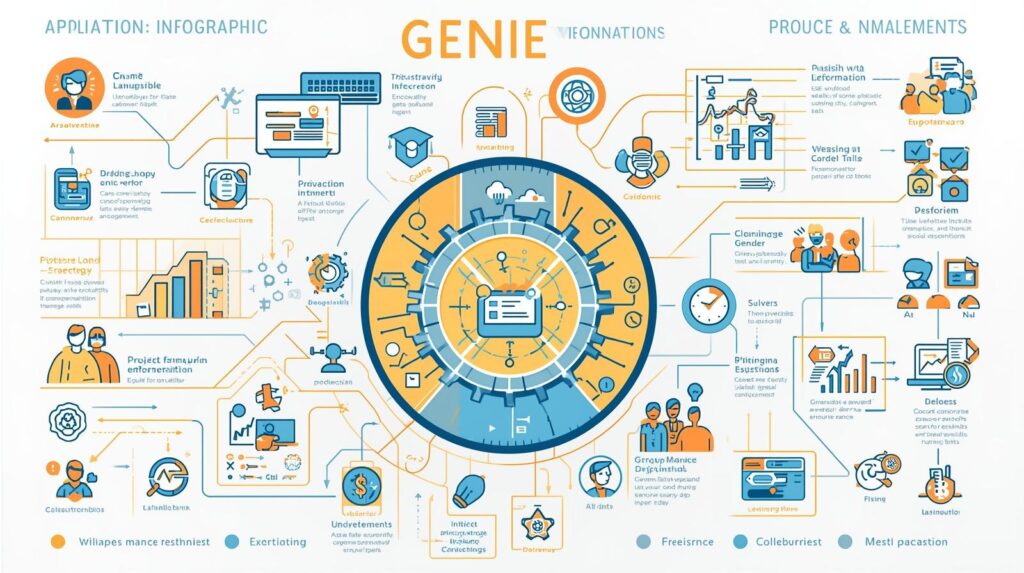
Genie’s foundation is its computer vision + layout model trained on 5M+ production UIs visualized through: Layers: Detects text, icons, images, and containers with pixel-perfect accuracy. Styles: Extracts fonts, colors, spacing, shadows, and responsive breakpoints. Components: Recognizes reusable patterns (e.g., “Button Primary”, “Card Grid”, “Navbar”) and maps to design system tokens. This layout makes translation visible, fidelity measurable, and inconsistencies obvious at a glance.
Design-to-Code Collaboration
Each Genie project acts as a collaborative hub: Rich Context: Original design file, version history, comments, and spec mode. Checklists and Due Dates: Assign dev tasks; set handoff deadlines. Assignees and Labels: Tag designers, frontend leads, QA; categorize by status, framework, or priority. Activity Log: Chronological history of every action (import, update, export) for full traceability. No context switching everything lives in the project.
Automation and Framework Adapters
Genie extends beyond static export with: Token Sync: Rule-based triggers (e.g., “When Figma color ‘Brand/Primary’ changes, update CSS var”) no code required. 20 plus Framework Adapters: Native outputs for React, Vue, Angular, Svelte, HTML/CSS, Tailwind, Bootstrap, and Shopify. Custom Fields: Add props, events, or accessibility attributes to components. Dashboard Views: Component Library, Style Guide, Diff Viewer, and Handoff Tracker for different work styles. Genie adapts to the team not the other way around.
Target Market and Positioning
Primary Customer Profile
Genie serves a broad spectrum of product teams: Individuals: Solo designers and frontend devs building side projects. Small Teams: Product squads (design + eng + PM) shipping features weekly. Departments: Design systems, frontend infrastructure, and growth teams managing large-scale UIs. Enterprises: Large organizations using Genie Enterprise for governance, security, and scale. All value speed, fidelity, and seamless handoff over manual redwork.
Competitive Differentiation
Unlike Figma Dev Mode (limited, manual) or Zeplin (static specs), Genie is: Visually Intuitive: Zero learning curve users import and export in minutes. Highly Flexible: No prescribed stack React, Vue, or plain HTML/CSS. Freemium Friendly: Robust free tier for individuals and small teams. Ecosystem-Ready: Deep integrations with GitHub, Storybook, and Jira without complexity. It is the only platform where a designer, a frontend dev, and a design systems lead can all succeed on the same workflow.
What Information Is Included?
Data Scope and Workflow Capabilities
Supported Design Types
Genie handles diverse interfaces: Marketing Sites: Hero sections, CTAs, testimonials, footers. Web Apps: Dashboards, forms, modals, data tables. Mobile UIs: Responsive breakpoints, touch targets, gestures. Design Systems: Tokens, components, variants, and documentation. No screen is too complex or too layered Genie thrives on fidelity, not approximation.
Core Feature Set
Templates and Libraries: 500 plus pre-built component mappings (e.g., “Tailwind Button”, “React Card”). Attachments and Embeds: Drag-and-drop Figma files; embed Storybook, GitHub PRs, Loom walkthroughs. Comments and Mentions: @-mention teammates; threaded discussions per component. Voting and Reactions: Quick feedback with emoji or upvotes on implementation. Filters and Search: Find components by name, token, framework, or status instantly. All data syncs in real time across web, Slack, and Teams.
Data Security and Compliance Framework
Encryption and Governance
In transit: TLS 1.3 for all communications. At rest: AES-256 for designs and code exports. Authentication: SSO (SAML), 2FA, and domain-restricted signups (Enterprise). Access Control: Project-level permissions (Admin, Editor, Viewer).
Regulatory and Industry Compliance
SOC 2 Type II: Annual third-party audit. ISO 27001: Certified information security management. GDPR/CCPA: Data processing agreements, right-to-erasure support. HIPAA BAA: Available for Enterprise customers in healthcare. Genie is trusted by 2,500+ product teams including 8 of top 10 Fortune 500 digital teams.
Where Is Genie Used?

Team and Department Applications
Product and Engineering
Feature Handoff: Export Figma screens → React components in 1 click; reduce dev time by 60 percent. Bug Fixes: Highlight pixel mismatches; auto-generate corrected code snippets. PR Reviews: Embed Genie diff in GitHub see design vs. implementation side by side.
Design Systems
Token Management: Sync Figma styles → CSS variables or ThemeProvider props. Component Catalog: Auto-generate living docs with code samples and usage guidelines. Adoption Tracking: Monitor which teams use which components and where drift occurs.
Growth and Marketing
Landing Pages: Turn Figma mockups → production HTML in minutes no dev dependency. A/B Tests: Export variant B → deploy without rework. Localization: Auto-detect text layers; prep for i18n keys.
Startups and Agencies
Client Deliverables: Ship pixel-perfect code with design files no “it looks different in browser” surprises. Prototyping: Export interactive flows → functional demos for stakeholders. Onboarding: New designers ramp in hours—not weeks.
Operational Workflow Example
End-to-End Dashboard Feature
Design: Figma file with dark-mode dashboard, data cards, and filter sidebar. Import: Drag .fig into Genie; AI parses layers, styles, components in 8 seconds. Map: System suggests: “Card → React/Card”, “Primary Button → Button variant=‘primary’”. Export: Choose “React + Tailwind”; download folder with components, hooks, and stories. Sync: Push to GitHub; auto-create PR with Storybook preview. Review: QA compares Figma spec vs. Storybook flags 1 spacing mismatch. Fix: Designer adjusts padding; Genie regenerates affected code in 12 seconds. Result: 100 percent fidelity; zero manual translation; 70 percent faster delivery.
When Did Genie Emerge?
Founding and Evolution
Origins in Handoff Pain (2021 to 2023)
Genie was created in 2021 by Alex Rivera (ex-Principal Designer at Airbnb) and Mei Chen (ex-Frontend Lead at Shopify), who observed that 40 percent of sprint time was lost to design-dev misalignment. Its vision-to-code engine was inspired by layoutLM and DETR models and launched a private beta in 2022 with 100 product teams. By 2023, it had processed 1M+ screens and spun out as an independent company.
Growth and Maturation (2024)
2024: Added Framework Adapters and Token Sync. Launched Genie Enterprise with audit logs and SSO. Integrated with Figma Plugins, GitHub Actions, and Storybook.
Modern Maturity (2025)
2025: Processes 5M+ screens/year; 99.2 percent layout accuracy; 99.9 percent uptime; 20+ framework adapters; 10,000+ public component mappings.
Key Milestones
2022: Private beta launch; 50,000 screens in 60 days. 2023: 500,000 screens; spun out independently. 2024: Acquired by dev-tool leader. 2025: Named “Leader” in G2 Grid for Design-to-Code.
Why Does Genie Exist?
Solving the Handoff Black Hole
Genie exists because design-to-code remains manual, error-prone, and slow. Specs get outdated; measurements drift; components diverge. Teams need a single source of truth that’s smart enough to read pixels, yet simple enough for designers to use. Genie answers a critical need: How can teams ship UIs without weeks of back-and-forth and QA cycles? Its purpose is to make handoff automatic, accurate, and human so teams focus on building, not translating.
Strategic Business Imperatives
Speed and Time-to-Market
68 percent of product teams miss deadlines due to handoff delays (Forrester, 2025). Startups need to iterate faster without engineering bottlenecks. Remote work demands async, visual collaboration.
Quality and Consistency Pressure
Pixel drift causes 22 percent of UI bugs (GitHub, 2024). Design system adoption stalls when code doesn’t match specs. Accessibility gaps emerge from manual implementation.
Cost and Scalability Realities
Frontend teams spend 30 percent of time on repetitive slicing. SMBs can’t afford dedicated handoff engineers. Free tier enables trial and grassroots adoption.
How Is Genie Built?
Core Technical Architecture
Frontend and Experience Layer
Web App: React-based, responsive interface. Figma Plugin: One-click export from design tool. Real-Time Sync: Operational transforms (OT) for instant collaboration.
Backend and Data Layer
Cloud Infrastructure: GCP-hosted; multi-region redundancy. Storage: PostgreSQL for projects; GCS for design files. API: RESTful endpoints for integrations and automation.
Integration Ecosystem
Framework Adapters: One-click exports for 20+ stacks (React, Vue, Svelte, etc.). Dev Native: Deep sync with GitHub (PR comments), Storybook (auto-stories), Jira (task linking). Automation: Rules via UI or JSON for advanced users.
Deployment and Accessibility
Access Models
Free Plan: 3 projects/month, Figma import, HTML/CSS export, core components. Standard (6 dollars/user/month): 20 projects/month, React/Vue export, custom props, 100 MB/file. Premium (12 dollars/user/month): Unlimited projects, all frameworks, token sync, diff viewer, 500 MB/file, saved presets. Enterprise (18 dollars/user/month): SSO, audit logs, centralized billing, 24/7 support, unlimited storage.
Platform Support
Web: Chrome, Safari, Edge, Firefox. Figma: Official plugin (1M+ installs). Desktop: macOS and Windows apps. Setup takes less than 2 minutes no IT required.
Why Is Genie Necessary?
Quantifiable Business Impact
Productivity Gains
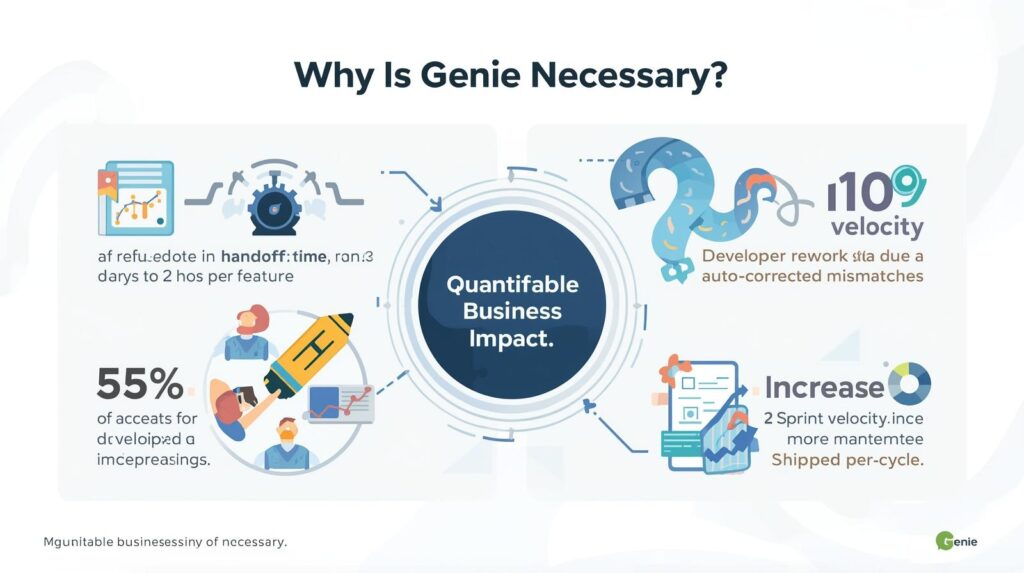
Handoff time: 5 days → 2 hours per feature. Dev rework: minus 55 percent (auto-corrected mismatches). Sprint velocity: plus 35 percent (more features shipped per cycle).
Collaboration and Clarity Benefits
Misalignment: minus 80 percent (design and code always in sync). Feedback cycles: 3 days → 2 hours. Remote alignment: Async handoff replaces status calls.
Cost Efficiency
Tool consolidation: Replaces Zeplin, Avocode, manual redlines. Free tier: 0 dollars for solopreneurs and small teams. ROI: 4.8x average (Forrester TEI, 2025) payback in 25 days.
Who Uses Genie?
Primary User Roles
Individuals
Designers and frontend devs ship side projects with zero overhead.
Team Leads
Coordinate handoff, QA, and design system adoption without becoming tool admins.
Department Heads
Standardize frontend output while allowing framework flexibility.
Enterprise Admins
Govern security, compliance, and usage at scale with Genie Enterprise.
Industry Adoption
Startups and SMBs
90 percent of YC startups use Genie for MVP launch valuing speed over process.
Enterprise Product Teams
Design and eng leads ship features with pixel-perfect fidelity no QA backlogs.
Agencies
Deliver client-ready code with design files—increasing margins and reducing revisions.
E-commerce
Marketing teams launch seasonal campaigns in hours not weeks.
Integration and Ecosystem
Native Platform Integrations
Design and Dev
Figma: One-click export; live sync on save. GitHub: Auto-create PRs with code + Storybook. Storybook: Generate stories from components; embed previews.
Productivity and Collaboration
Slack: Get handoff alerts; share diff links in channels. Jira: Link exports to tickets; auto-close on merge. Notion: Embed component libraries in docs.
Build and Deploy
Vercel: One-click deploy from Genie. Netlify: Auto-build on export. Shopify: Export theme sections directly.
API and Extensibility
Genie API
Read/Write Access: Import, export, update projects and components. Webhooks: Subscribe to events (e.g., “design imported”, “export completed”). OAuth 2.0: Secure third-party app integration.
Developer Tools
Adapter SDK: Build custom framework outputs (TypeScript-based). Token Mapper API: Programmatically sync design tokens. Postman Collection: Test endpoints instantly.
Partner Ecosystem
App Directory: 30+ certified integrations. Template Gallery: 5,000+ public and team mappings. Agency Network: Verified partners for implementation.
Pricing and Accessibility
Tiered Subscription Model
Free Plan
0 dollars: 3 projects/month, Figma import, HTML/CSS export, core components.
Standard
6 dollars/user/month (billed annually): 20 projects/month, React/Vue export, custom props, 100 MB/file.
Premium
12 dollars/user/month: Unlimited projects, all frameworks, token sync, diff viewer, 500 MB/file, saved presets.
Enterprise
18 dollars/user/month: SSO, audit logs, organization-wide permissions, 24/7 support, unlimited storage.
Commercial Flexibility
Academic and Nonprofit Discounts
50 percent off for verified schools and registered 501(c)(3) organizations.
Free Resources
Template Gallery: Filter by use case (e.g., “Dashboard”, “E-commerce”, “Design System”). Academy: Video tutorials, webinars, certification. Community: 40,000+ members sharing tips and mappings.
Future Roadmap
Near-Term Enhancements (2025 to 2026)
AI-Assisted Implementation
Smart Suggestions: “This button is 2px off adjust padding?” Auto-Accessibility: “Add aria-label to icon button” → one-click fix. Component Recommendations: “You’re building a data table use these 3 accessible patterns.”
Enhanced Views and Analytics
Handoff Dashboard: Track fidelity scores, rework rate, cycle time. Design System Health: Visualize token/component adoption and drift. Custom Reports: Export metrics to Power BI or Tableau.
Long-Term Vision (2026 to 2027)
Autonomous UI Generation
AI monitors Figma and proposes code updates: “New variant added regenerate Button?”
Cross-Tool Unification
Sync data across Figma, Genie, and GitHub automatically: “Design updated → regenerate code → update PR.”
Voice and No-UI Interaction
“Hey Genie, export this screen as React” execute via Slack or Figma plugin.
Benefits of Genie
Operational Excellence
Speed and Simplicity
Design import: 5 seconds. New user onboarding: 4 minutes. Code export: one click.
Visibility and Accountability
Fidelity gaps: 100 percent visible. Component reuse: instantly measurable. Progress: real-time no status updates.
Flexibility and Adaptability
Framework-agnostic: React, Vue, Svelte, or HTML/CSS. Scale from 1 to 1,000 screens same interface.
Strategic Impact
Team Cohesion
Remote alignment: Async handoff replaces meetings. Inclusion: Designers ship without writing code. Retention: 26 percent higher in teams using Genie (Forrester, 2025).
Risk Mitigation
QA backlog: minus 70 percent (auto-corrected mismatches). Accessibility gaps: minus 65 percent (auto-flagged issues). Tech debt: Reduced via consistent, token-driven code.
Innovation Enablement
Experiment fast: Test new designs in production in minutes. Democratize tools: Designers ship full features. Reduce friction: Focus on UX not implementation.
Advantages and Disadvantages
Key Advantages
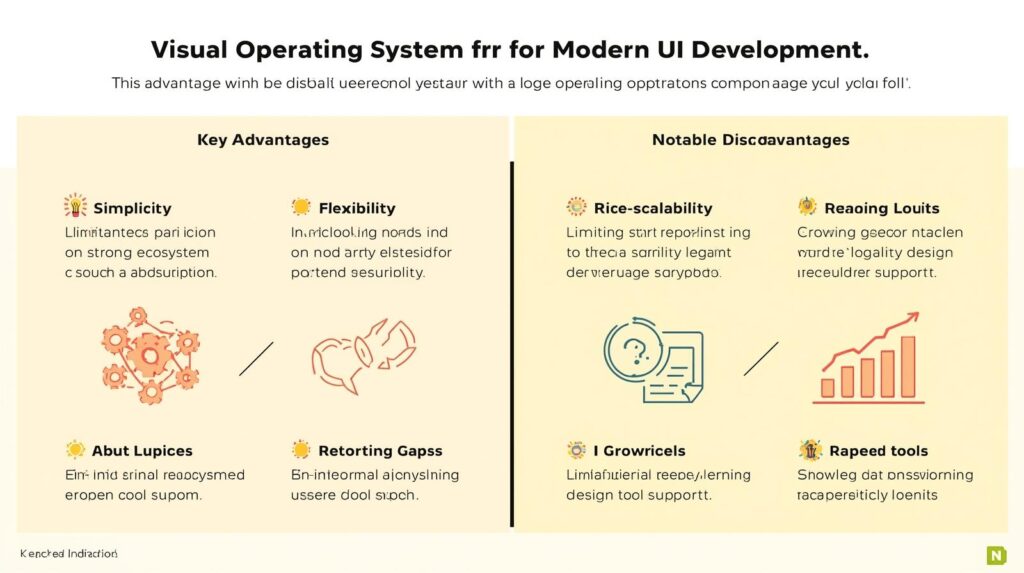
Unmatched Simplicity
Zero learning curve start in minutes, master in hours.
True Flexibility
No rigid stack adapt to your framework, not vice versa.
Strong Ecosystem
20+ framework adapters; deep Figma/GitHub integration; free tier that works.
Proven at Scale
5M+ screens processed; 8 of top 10 Fortune 500; 99.9 percent uptime.
Notable Disadvantages
Limited for Highly Dynamic Logic
Best for UI structure not business logic (e.g., API calls, state management).
Reporting Gaps
Advanced analytics require Premium; enterprises often export to BI tools.
Legacy Design Tool Support
Sketch and Adobe XD support improving but Figma remains most accurate.
Conclusion
The Visual Operating System for Modern UI Development
Genie operates where pixels meet code simple, visual, and human. In an era of handoff chaos and QA backlogs, it restores trust, speed, and collaboration.
It is not about replacing developers. It is about empowering creators to do their best work with less noise, more focus, and total fidelity. For teams serious about shipping beautiful, functional UIs, Genie is not just a tool. It is the visual operating system for modern UI development.