What Is Kofax?

Defining the Concept
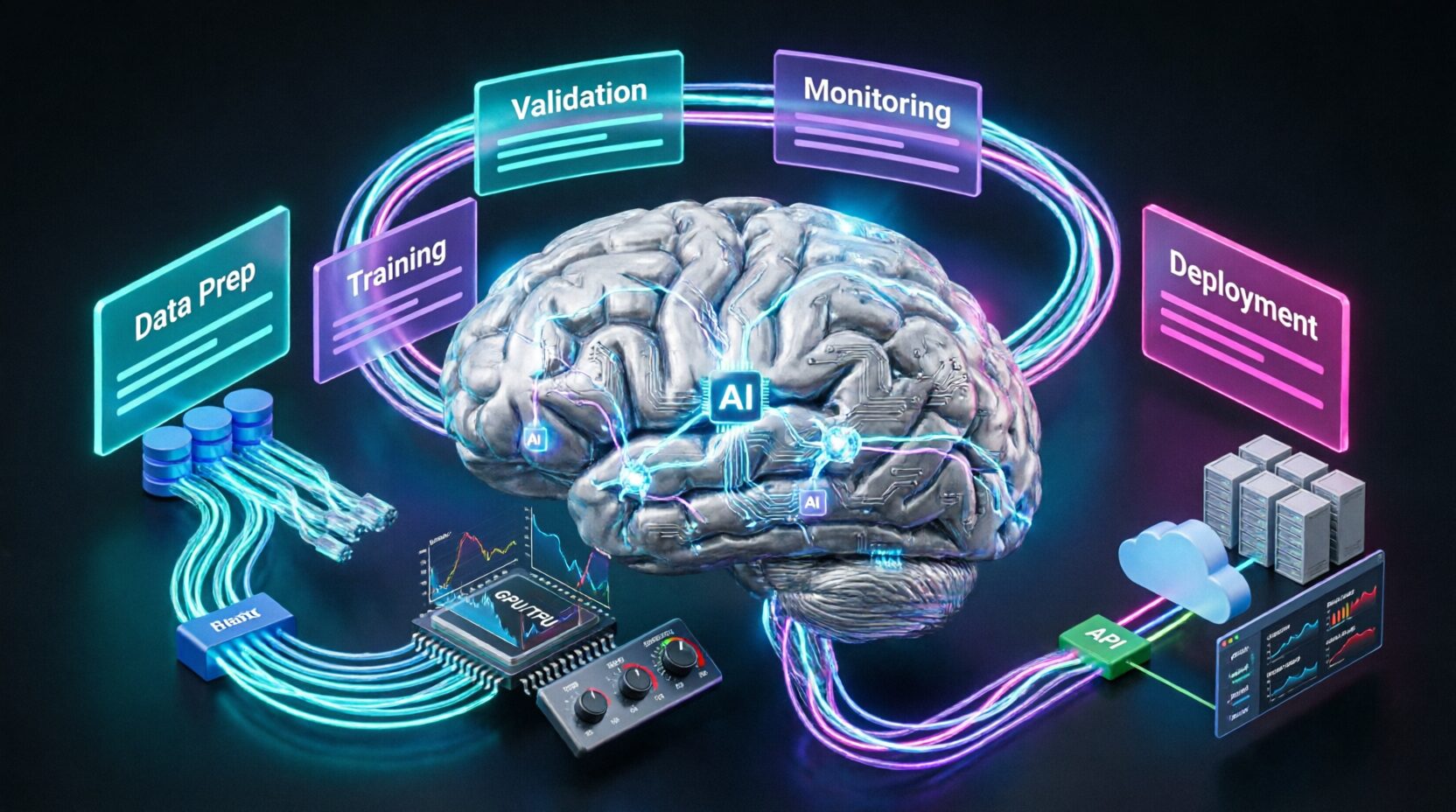
Kofax refers to a global intelligent automation platform that helps enterprises digitize, automate, and optimize document-intensive, rules-based, and high-volume business processes across finance, operations, supply chain, and customer service. Unlike point solutions that automate single tasks such as OCR or RPA bots, Kofax delivers an integrated suite of AI-powered capabilities including document intelligence, robotic process automation, process orchestration, analytics, and low-code development to transform end-to-end workflows such as accounts payable, claims processing, onboarding, and logistics. Built for large organizations with complex legacy systems, Kofax enables organizations to extract data from unstructured documents like paper, PDF, and email, validate it against business rules, execute actions across ERPs and databases, and monitor performance in real time, turning manual, error-prone operations into resilient, auditable, and self-improving digital workflows.
Core Technological Foundation
Document Intelligence Engine
Kofax TotalAgility and Kofax ReadSoft feature AI-powered document processing that goes beyond basic OCR. Using deep learning and computer vision models trained on millions of documents, the platform classifies documents such as invoice, purchase order, and claim form with 98 percent plus accuracy, extracts structured data like vendor name, amount, and GL code from tables, handwriting, and multi-page layouts, handles low-quality scans, handwritten notes, and multi-language content with support for 100 plus languages, and learns continuously from human corrections, requiring minimal retraining.
Intelligent Process Automation
Kofax RPA, formerly Kapow, and Process Orchestration enable cross-system automation for SAP, Oracle, Salesforce, and legacy mainframes, human-in-the-loop workflows with role-based task routing, exception handling with AI-driven decision trees for example, “If invoice amount is greater than 50,000 dollars, route to AP manager,” and version-controlled, auditable process definitions.
Data Validation and Enrichment
Real-time validation against vendor master files, tax tables, and business rules, integration with third-party data such as Dun and Bradstreet and LexisNexis for enrichment, and fraud and duplicate detection via pattern analysis for example, “Same invoice ID, different amounts.”
Target Market and Positioning
Primary Customer Profile
Kofax serves large enterprises with 1,000 plus employees in highly regulated, document-heavy industries such as financial services including banks and insurers processing loans, claims, and KYC, healthcare and life sciences including payers handling prior authorizations and pharma managing regulatory submissions, manufacturing and logistics including AP automation, shipping documentation, and quality inspections, and government and public sector including benefits processing, permit applications, and FOIA requests.
Competitive Differentiation
Unlike UiPath or Automation Anywhere, which are RPA-first, or ABBYY, which is OCR-first, Kofax offers a unified intelligent automation stack where document understanding, decisioning, and execution are natively integrated, eliminating handoffs between tools, data loss, and fragile integrations. Its deep vertical templates for example, “Fannie Mae 1003 for mortgage underwriting” accelerate time-to-value.
What Information Is Included?
Data Scope and Processing Capabilities
Document Types and Formats
Kofax processes scanned paper including invoices, contracts, claims forms, and ID documents, digital files including PDF, Word, Excel, email attachments, and fax images, structured and unstructured fields including tables, checkboxes, signatures, and handwritten notes, and multi-channel inputs including email inboxes, network folders, MFP scanners, web portals, and SharePoint.
Data Extraction and Transformation
Key-value pairs for example, “Invoice Number: INV-2025-789,” line items such as multi-row tables with quantity, price, and tax, metadata including document type, source, timestamp, and confidence scores, and relationship mapping such as linking invoices to POs to receipts via reference numbers.
Integration with Enterprise Systems
ERPs including SAP, Oracle EBS, and Microsoft Dynamics, databases including SQL Server, Oracle DB, and IBM Db2, CRM including Salesforce and Microsoft Dynamics 365, and legacy systems including IBM z/OS mainframes and AS/400 via screen scraping or APIs.
Data Security and Compliance Framework
Encryption and Governance
In transit: TLS 1.3 encryption for all data movement. At rest: AES-256 encryption for stored documents and databases. Access control: Role-based permissions for admin, operator, and auditor with SSO including SAML and OIDC. Audit trails: Full logging of document ingestion, extraction, validation, and user actions.
Regulatory Compliance Certifications
SOC 2 Type II: Annual independent audit. ISO 27001: Information security management. GDPR and CCPA: Data residency options for U.S., EU, and APAC; right-to-erasure workflows. HIPAA: BAA support for healthcare customers. FINRA and SEC: Retention policies and immutable audit logs for financial services.
Where Is Kofax Used?
Industry-Specific Use Cases
Financial Services
Accounts Payable Automation: Process 10,000 plus invoices per week by extracting data, matching to POs and GRNs, validating GL coding, routing exceptions, and posting to SAP, reducing processing cost from 12 dollars to 3.50 dollars per invoice. Loan Origination: Digitize 1003 forms, W-2s, and bank statements; validate income and debt ratios; auto-populate LOS systems such as Encompass and Calyx. Insurance Claims: Extract data from CMS-1500 forms, adjuster notes, and photos; detect fraud via anomaly scoring; route to appropriate adjusters.
Healthcare and Life Sciences
Prior Authorization: Auto-process faxes and portals by extracting CPT codes, member ID, and diagnosis; validate against payer rules; update EHRs. Clinical Trial Submissions: Ingest regulatory documents such as eCTD, classify sections, extract protocol numbers, and validate against FDA templates. Provider Enrollment: Digitize CAQH forms, verify credentials via NPI registry, and track status across state boards.
Manufacturing and Logistics
Procure-to-Pay: Auto-match POs, invoices, and delivery notes; flag pricing discrepancies; process 3-way matches at scale. Shipping Documentation: Extract data from bills of lading, customs forms, and packing slips; auto-generate ASN files for EDI. Quality Inspections: Process handwritten checklists, photos, and lab reports; trigger non-conformance workflows.
Government and Public Sector
Benefits Processing: Digitize paper applications for SNAP and Medicaid; validate eligibility; reduce processing from 30 days to 3. Permitting and Licensing: Auto-classify applications, extract applicant data, route to reviewers, and track SLAs. FOIA Requests: Redact PII and PHI using AI, log response times, and ensure compliance with 20-day rule.
Operational Workflow Examples
End-to-End Invoice Processing
Ingest: Email, scan, or portal upload. Classify: AI identifies as “Vendor Invoice.” Extract: Pulls vendor ID, invoice number, date, line items, and tax. Validate: Checks against PO, GRN, and vendor master; flags mismatches. Approve: Auto-approves under 1,000 dollars; routes 1,000 to 10,000 dollars to manager; flags over 10,000 dollars for finance. Post: Sends to SAP for payment; archives with audit trail.
Customer Onboarding (KYC and AML)
Collect: ID, proof of address, and W-8BEN via web portal. Verify: Extract text, validate against government databases. Screen: Check names against OFAC and PEP lists. Risk-score: Assign risk level based on geography and occupation. Route: Low-risk to auto-approve; high-risk to manual review. Log: Full audit trail for regulators.
When Did Kofax Emerge?
Founding and Early Innovation
Origins in OCR Leadership (1985 to 2000)
Founded in 1985, Kofax pioneered production scanning and OCR technology for enterprises. Launched Ascent Capture in the 1990s, the first scalable document capture platform for banks and insurers. Acquired Savvion in 2010, adding BPM to become a process automation provider.
Intelligent Automation Era (2015 to 2020)
2015: Launched Kofax Kapow (RPA) for web data extraction. 2017: Released Kofax TotalAgility, unifying capture, BPM, and analytics. 2019: Acquired ReadSoft (SAP-focused AP automation), strengthening ERP integration. 2020: Introduced Kofax AI Transform, adding deep learning for document understanding.
Modern AI Integration (2021 to 2025)
2022: Embedded transformer-based models for handwriting and low-quality scans. 2023: Launched Kofax Analytics for real-time process mining and bottleneck detection. 2024: Added low-code workflow builder for citizen developers. 2025: Achieved 99.2 percent straight-through processing in AP for top financial clients.
Key Milestones
2006: IPO on NASDAQ (KFX). 2015: Acquired by Thoma Bravo for 1.0 billion dollars. 2021: Revenue exceeds 700 million dollars; serves 20,000 plus customers. 2024: Named Leader in Gartner Magic Quadrant for Intelligent Document Processing.
Why Does Kofax Exist?
Solving the Fragmentation of Legacy Automation
Kofax exists because enterprises remain trapped in a patchwork of manual, semi-automated, and siloed tools that cannot scale or adapt. Finance teams use OCR plus Excel plus email for AP; claims processors juggle paper, fax, and legacy mainframes; onboarding takes weeks due to disconnected systems. Point solutions create new complexity: RPA bots break when UIs change; OCR engines fail on handwriting; BPM tools lack document understanding. Kofax answers a critical need: How can large organizations automate end-to-end processes, not just tasks, while ensuring accuracy, compliance, and resilience? Its purpose is to unify document intelligence, decisioning, and execution into a single, governed platform so automation delivers ROI, not technical debt.
Strategic Business Imperatives
Cost and Efficiency Pressure
Manual invoice processing costs 12 to 15 dollars; Kofax reduces to 2 to 4 dollars. Claims processing time drops from 14 days to 48 hours. Onboarding cycles shorten from 30 days to 3.
Risk and Compliance Demands
Regulators require full audit trails for financial transactions. GDPR and CCPA mandate PII redaction and data deletion. Fraud losses in AP exceed 2.9 billion dollars annually (Aberdeen).
Digital Transformation Urgency
Customers expect real-time processing such as instant loan decisions. Legacy systems including mainframes and green screens hinder innovation. Talent shortages make manual work unsustainable.
How Is Kofax Built?
Core Technical Architecture
Document Intelligence Layer
AI Models: Custom CNNs and transformers trained on 50 million plus documents. Classification: Ensemble models for document type identification. Extraction: Layout-aware models such as LayoutLM for tables and forms. Validation: Rule engine with fuzzy matching for vendor names and addresses.
Process Automation Layer
RPA Bots: Web, desktop, and mainframe automation including 3270 and 5250. Orchestrator: Central console for bot scheduling, monitoring, and scaling. Exception Handling: AI suggests resolutions for common errors such as “PO not found, search by vendor plus date.”
Analytics and Monitoring
Process Mining: Visualize bottlenecks such as “AP manager approval takes 4.2 days avg.” Predictive Alerts: Flag at-risk processes such as “Invoice aging greater than 45 days, escalate.” KPI Dashboards: STP rate, cost per transaction, cycle time, and exception rate.
Deployment and Integration Model
Deployment Options
Cloud (Kofax Cloud): AWS and Azure-hosted; SOC 2 compliant; 99.95 percent SLA. On-Premises: For air-gapped or highly regulated environments. Hybrid: Sensitive data on-prem; analytics in cloud.
Integration Framework
Pre-Built Connectors: 200 plus for SAP, Oracle, Salesforce, SharePoint, and ServiceNow. APIs: RESTful APIs for custom integrations including ingest, extract, and validate. Low-Code Studio: Drag-and-drop workflow designer for business analysts.
Scalability and Resilience
Horizontal Scaling: Add nodes for 1 million plus documents per day. Failover: Active-active clustering across zones. Disaster Recovery: RPO less than 5 min, RTO less than 30 min.
Why Is Kofax Necessary?

Quantifiable Business Impact
Operational Efficiency Gains
AP Automation: 85 percent straight-through processing; 70 percent FTE reduction. Claims Processing: 60 percent faster cycle time; 40 percent fewer errors. Onboarding: 90 percent reduction in manual data entry.
Risk and Compliance Benefits
Audit Readiness: Full digital trail for SOX, HIPAA, and GDPR. Fraud Prevention: 30 percent reduction in duplicate payments. Regulatory Fines Avoided: 2 million plus dollars annually for financial services clients.
Strategic Advantages
Faster Time-to-Market: Launch new products and services without process rework. Improved Customer Experience: Real-time status updates, faster resolutions. Data-Driven Decisioning: Use process analytics to optimize workflows continuously.
Organizational and Cultural Impact
Empowered Workforce
Free knowledge workers from repetitive tasks. Upskill staff to manage exceptions and improve processes. Reduce burnout in high-volume roles such as AP clerks and claims processors.
Future-Proof Infrastructure
Modernize legacy operations without rip-and-replace. Adapt quickly to new regulations such as e-invoicing mandates. Scale automation across departments with reusable components.
Who Uses Kofax?
Primary User Roles
Chief Operating Officers (COOs)
Own end-to-end process efficiency and cost reduction. Track automation ROI via KPI dashboards. Allocate budget for digital transformation.
IT and Automation Leaders
Evaluate platform architecture, security, and scalability. Manage integrations with ERP, CRM, and legacy systems. Oversee change management and user adoption.
Process Owners (Finance, Ops, Claims)
Design and optimize workflows in low-code studio. Monitor exceptions and refine business rules. Train teams on exception handling.
Compliance and Risk Officers
Ensure audit trails meet regulatory requirements. Configure PII redaction and data retention policies. Run compliance reports on demand.
Industry-Specific Adoption
Global Financial Institutions
Top 10 U.S. banks use Kofax for AP, loan origination, and KYC. European insurers automate 90 percent of claims intake.
Healthcare Payers
5 of top 7 U.S. health insurers process prior auths via Kofax. Reduces approval time from 14 days to 48 hours.
Manufacturing Leaders
Automotive OEMs automate 50,000 plus invoices per month across 200 vendors. Reduces payment errors by 45 percent.
Integration and Ecosystem
Native Platform Integrations
ERP and Financial Systems
SAP: Pre-built accelerators for FI, MM, and SD modules. Oracle EBS: Invoice matching, PO creation, and payment runs. Microsoft Dynamics: AP, AR, and GL automation.
Content and Collaboration
SharePoint: Auto-classify and extract from document libraries. OpenText: Ingest from Documentum and Content Server. Box and Google Drive: Monitor folders for new documents.
Analytics and BI
Power BI and Tableau: Pre-built dashboards for process KPIs. Splunk: Log integration for security monitoring. ServiceNow: Auto-create tickets for exceptions.
API and Custom Integration Capabilities
RESTful API Suite
Document Ingestion: POST PDFs, images, and emails. Extraction: GET structured data with confidence scores. Validation: POST data for rule-based checks. Workflow Trigger: Start processes programmatically.
Developer Tools
Kofax Studio: Low-code workflow designer with version control. SDKs: .NET and Java for custom application embedding. Webhooks: Real-time event notifications such as “Document processed.”
Partner Ecosystem
System Integrators: Accenture, Deloitte, and Capgemini for implementation. Technology Partners: Microsoft (Azure AI) and AWS (Textract integration). Vertical ISVs: nCino (mortgage) and Guidewire (insurance).
Pricing and Accessibility
Enterprise Licensing Model
Subscription Tiers
Essential: Document capture plus basic extraction at 50,000 dollars per year. Professional: plus RPA, BPM, and analytics at 150,000 dollars per year. Enterprise: plus advanced AI, low-code, and premium support at 300,000 dollars per year plus.
Pricing Variables
Document volume per 1,000 pages per month. Number of workflows and processes. Deployment model (cloud vs. on-prem). Professional services for implementation and training.
Commercial Flexibility
Proof of Concept (POC): 8-week pilot with success-based pricing. Outcome-Based Pricing: Pay per invoice processed or claim handled. Volume Discounts: For global deployments over 10 countries.
Future Roadmap
Near-Term Enhancements (2025 to 2026)
Generative AI Integration
Auto-Document Summarization: Generate executive summaries from contracts. Smart Redaction: Use LLMs to identify sensitive context, not just keywords. Chat-to-Process: “Create an AP workflow for healthcare vendors” to auto-generate.
Enhanced Vertical Solutions
Healthcare: Prior auth denial prediction using historical data. Finance: Real-time fraud scoring during invoice processing. Government: AI-assisted FOIA response drafting.
Long-Term Vision (2026 to 2027)
Autonomous Process Optimization
AI monitors workflows and suggests improvements: “Route invoices under 5,000 dollars to auto-approve, saves 12 hrs per week,” “Add GL validation rule, reduces errors by 18 percent.”
Cross-Enterprise Process Networks
Secure, blockchain-backed process sharing with suppliers and partners. Auto-reconcile invoices across buyer and supplier systems.
Edge Intelligence
On-device processing for disconnected environments such as field inspections and ships. Real-time decisioning without cloud dependency.
Benefits of Kofax
Operational Excellence
Cost Reduction
AP processing: 12 dollars to 3.50 dollars per invoice. Claims handling: 45 dollars to 18 dollars per claim. Onboarding: 200 dollars to 45 dollars per employee.
Speed and Throughput
Invoice processing: Days to minutes. Loan decisions: Weeks to hours. Benefits approval: 30 days to 3 days.
Accuracy and Quality
Data extraction accuracy: 95 percent to 99.2 percent. Error rates: 8 percent to 1.5 percent. Audit findings: Reduced by 70 percent.
Strategic Impact
Compliance and Risk Mitigation
Full audit trails for SOX, HIPAA, and GDPR. Real-time monitoring for PII leaks. Automated regulatory reporting.
Scalability and Agility
Handle 10x volume spikes such as year-end close. Launch new processes in weeks, not months. Adapt to regulation changes without code.
Innovation Enablement
Free IT from maintenance to focus on strategic projects. Empower business users to build workflows. Turn process data into competitive insight.
Advantages and Disadvantages
Key Advantages
Unified Intelligent Automation Platform
No stitching between OCR, RPA, and BPM tools. Single vendor accountability and support. Consistent data model across document and process layers.
Deep Vertical Expertise
Pre-built templates for finance, insurance, and healthcare. Industry-specific validation rules such as ICD-10 and Fannie Mae. Regulatory compliance baked in.
Enterprise-Grade Resilience
99.95 percent uptime SLA. SOC 2, ISO 27001, HIPAA, and GDPR compliance. Global support (24/5, 15 languages).
Proven ROI at Scale
70 to 85 percent FTE reduction in AP. Payback in 6 to 12 months. 20,000 plus customers, including 50 percent of Fortune 100.
Notable Disadvantages
Complexity for Small Businesses
Overkill for SMBs with under 1,000 documents per month. Implementation requires skilled resources (2 to 6 months typical). Pricing not transparent; requires sales engagement.
Legacy System Dependencies
Deep ERP integrations such as SAP and Oracle require IT involvement. Mainframe automation needs specialized expertise. Custom workflows may need professional services.
Learning Curve for Non-Technical Users
Low-code studio still requires process mapping skills. Exception handling needs business rule definition. Change management critical for adoption.
Conclusion
The Intelligent Backbone of Digital Operations
Kofax operates behind the scenes, but its impact is felt in every processed invoice, approved claim, and onboarded customer. In an era where operational excellence defines competitive advantage, Kofax ensures that document-intensive work is not a source of risk and cost, but a foundation of speed, accuracy, and insight.
It is not about automating tasks. It is about transforming processes, so enterprises can operate with the agility of a startup and the resilience of an institution. For organizations serious about intelligent automation, Kofax is not just a tool. It is the intelligent backbone of digital operations.